The computer I've selected for this challenge is gradukone, a Compaq Presario 9520 with an original Pentium (per Damn Small Linux, it's a Pentium 75MHz and I have no reason to doubt that), 605 MiB hard disk, and 48 MiB (!) of RAM. The RAM has been upgraded from the original 8 MiB by putting all the SIMMs from my other Socket 5 system in it, at least until I get that one booting again. I've also replaced the optical drive with a much-later DVD-RW one, since both the stock CD-ROM drive and the one I later added (to allow it to read CD-RW) have died. It is otherwise essentially stock.
The name gradukone (Finnish for 'master's thesis machine') comes from it being the machine my mother wrote her master's thesis on. As a result, when I'd want to specify which of my old computers I was referring to with my family, I'd call it "[her] gradukone". I got it to have as my own sometime around 2004 or 2005, when she got a new computer (said computer is also taking part in the old computer challenge, funnily enough).
The computer runs Windows 95, installed off of the original installation disks. The install itself is not original – the old one was quite busted and my mother wanted to securely erase any data she might have left behind on there in any case. I got the system set up again last year, and used it at Retro Game Jam 2025.
My goal is to work further on my game jam entry, so that it can reasonably be called "a game", instead of just being a proof-of-concept demo.
Today was spent primarily on settings everything up. I'd gotten quite sick just before the challenge, so I didn't really have the most energy to get anything ready beforehand.
I'd already got the development environment (read: nasm, a couple of batch files, and notepad.exe; sidenote: Windows 95 notepad.exe is so much more limited than you think) from the retro game jam, so I didn't really need to do any setup there. What is different from the jam, though, is that I intend to use this machine for the vast majority of my computing for the week, so I wanted a way to access in the very least my e-mail and IRC. While Windows 95 can do internet itself (and I may want to give it a go hooking the computer up with Ethernet at some point this week), I decided that I'd start off by letting myself log in to heinä, my Surface Pro 5 running Void Linux, over serial connection. I'd previously used the same combination of hardware, though with the Surface running Windows, to transfer files over during the game jam so I was pretty confident this would be an easy way to get internet access as needed.
Getting the serial login working itself was rather easy.
I just needed to ln -s /etc/sv/agetty-ttyUSB0 /var/service/, and I could log in.
What gave me a bit more grief was the terminal emulation and character encodings.
I'm using HyperTerminal in its "ANSI" mode, which has quite a few quirks. Not only that, but it seems like there is no entry for it in the ncurses terminfo database. I did find one terminfo definition for it online, but in practice it seemed to fare worse than the "vt100" Void Linux uses by default for serial logins. That's probably because it's for the HyperTerminal as it ships as part of Windows XP, while I'm using the one bundled in with Windows 95. I ended up creating my own terminfo entry that inherits from vt100 and adds
kcuu1=\e[A, kcud1=\e[B, kcuf1=\e[C, kcub1=\e[D,
to make the arrow keys work.
I also added the following to my .bash_profile:
if [ "$TERM" = hyperterm95 ]
then
    stty erase ^H
    # By default Windows 95 HyperTerminal shows black text on white
    # background, but all the "reset to defaults" escapes cause it to
    # show white on black instead. Let's just always use white on black
    # for consistency, even though it is the objectively worse colour
    # scheme imho.
    tput sgr0
    tput ed
    export LANG=fi_FI.ISO88591
fi
Now, while I set LANG there to signal I'm using ISO-8859-1 as my character encoding, most software on my system seems to (reasonably, imo) assume UTF-8. From previous experience, I knew that GNU Screen could do character set translation. It took a bit of twiddling around, but I ended up with the following:
LANG=fi_FI.UTF-8 screen -dm
screen -r
Screen also has the benefit of allowing me to easily redraw the terminal screen, whenever it gets messed up from programs sending control codes that HyperTerminal does not quite understand.
I still was not quite done with *nix-side work on my ostensibly-Windows-95 challenge setup. As I mentioned previously, I'd used the serial connection for file transfer, but that was when the Surface still ran Windows. I'd used TeraTerm, which was a bit flaky but could handle sending and receiving files over kermit; it did however require me to use the Surface directly, since I had to click in the interface to get it to send/receive a file. With the serial log-in, I can instead trigger a command-line kermit client, which will use the same serial link.
While Void does not package a kermit, I was able to build the latest C-Kermit release from source myself. As it had last been updated in 2011, and much of the code dates from far before, there were a couple of edits I needed to make to the source to get it to compile. (Of course now, writing this post, I notice that I could have gotten the current development sources which presumably would not have these issues.)
I ended the day by writing this entry, naturally also using notepad.exe, and uploading it over to heinä using kermit.
I got tired enough of the issues with broken terminal output in HyperTerminal that I wrote my own terminfo definition for it. It's not quite complete (I still wanna add the sgr capability and test some more escape codes that aren't part of the base "ansi" terminfo definition), but it seems to work reasonably enough:
hyperterm95|HyperTerminal on Windows 95,
# Automatically wraps to the next line if line length is exceeded.
    am,
# When clearing, the cleared cells get the current background colour,
# not the at-boot background colour.
    bce,
# It's fine to move the cursor when attributes are set.
    msgr,
# Line feed happens immediately upon filling the last column with a
# character.
    xenl@,
# Per tack(1), db should be set for this.
    db,
# Terminal is 80x24.
    cols#80, lines#24,
# Tabstops are every 8 columns.
    it#8,
# We have the 8 ANSI colours.
    colors#8,
# `pairs` is the number of colour pairs that can be used at once. Since
# HyperTerminal doesn't use colour pairs, this is going to be (number of
# foreground colours)*(number of background colours).
    pairs#64,
# HyperTerminal supports the usual ASCII control codes.
    bel=^G, cr=\r, ind=\n, ht=\t,
# Clear the whole screen (but not scrollback, in our case).
    clear=\E[H\E[J,
# Clear until the end of the screen.
    ed=\E[J,
# Clear until the start/end of the line.
    el1=\E[1K, el=\E[K,
# Move cursor "home" (top-left).
    home=\E[H,
# Position cursor absolutely.
# Terminfo uses a stack-based virtual machine (!) to handle parametrized
# capabilities.
# In the terminfo-internal model, columns and rows are numbered starting
# from 0, while in ANSI terminals they're numbered starting from 1. `%i`
# handles this discrepancy by incrementing first two parameters by one.
# `%p` followed by a digit pushes a parameter into the stack.
# `%d` pops and prints out the value as a decimal integer.
    cup=\E[%i%p1%d;%p2%dH,
# Move cursor relatively.
    cuu1=\E[A, cud1=\E[B, cuf1=\E[C, cub1=\E[D,
    cuu=\E[%p1%dA, cud=\E[%p1%dB, cuf=\E[%p1%dC, cub=\E[%p1%dD,
# Erase characters.
    dch1=\E[P, dch=\E[%p1%dP,
# Erase lines.
    dl1=\E[M, dl=\E[%p1%dM,
# Insert lines.
    il1=\E[L, il=\E[%p1%dL,
# Clear all attributes.
    sgr0=\E[0m,
# Set standard ANSI attributes.
    blink=\E[5m, invis=\E[8m, rev=\E[7m,
    smul=\E[4m, rmul=\E[24m, smso=\E[7m, rmso=\E[27m,
# XXX: sgr
# If bold is used on its own, it behaves like dim instead, i.e. the
# default state is bright and the "bolded" one is non-bright. If an ANSI
# colour has been set, the default is non-bright and "bolded" is bright.
    bold=\E[1m,
# Set ANSI colours.
    setaf=\E[3%p1%dm, setab=\E[4%p1%dm,
# Scroll upwards.
    ri=\EM,
# Backspace produces a backspace, not a delete.
    kbs=^H,
# HyperTerminal uses standard ANSI-style arrow keys.
    kcuu1=\e[A, kcud1=\e[B, kcuf1=\e[C, kcub1=\e[D,
# F-keys are like on the VT100, but we seem to only have four of them.
    kf1=\EOP, kf10=\EOx, kf2=\EOQ, kf3=\EOR, kf4=\EOS,
I also realized that I've locked myself into needing to interact with the surface a little bit at least every day – my e-mail setup fetches my passwords from ChiPass using the FD.o secrets service, which fails unless I already have ChiPass running (which requires me to do a graphical log-in) and even if I do have ChiPass running I need to click to okay the request.
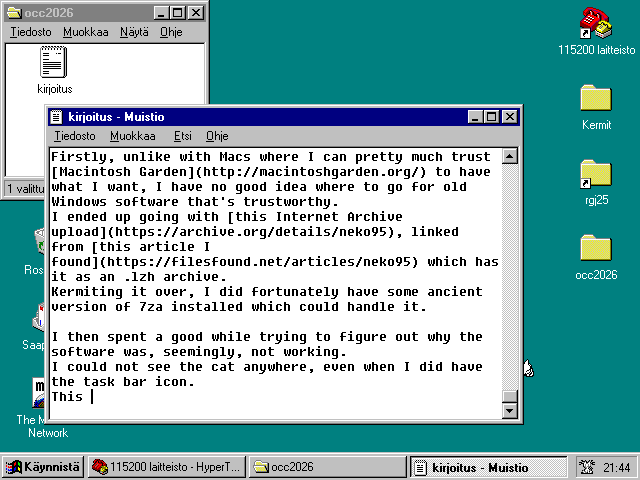
Actually on the Windows 95 side of things, I was reminded of neko. On my usual desktops I'm nowadays running Wayland under Linux or FreeBSD, so I can't run it (something something this is why we need Arcan), but there are no such impediments on Windows 95. (Writing this, I discovered that there is a Wayland version of neko, but it appears to not be able to chase the cursor.) It turned out to be bit of a more involved process to actually get the software on gradukone: Firstly, unlike with Macs where I can pretty much trust Macintosh Garden to have what I want, I have no good idea where to go for old Windows software that's trustworthy. I ended up going with this Internet Archive upload, linked from this article I found which has it as an .lzh archive. Kermiting it over, I did fortunately have some ancient version of 7za installed which could handle it.
I then spent a good while trying to figure out why the software was, seemingly, not working. I could not see the cat anywhere, even when I did have the task bar icon. This turns out to be a user problem, however: I was expecting it to be always-on-top, but instead it goes behind all the other windows on my desktop. Since my desktop is usually mostly-covered and I idle the mouse cursor where I last clicked, it was being hidden by my windows.
Side note: handling screenshots is bit of a pain. Paint can only save as uncompressed bitmap, it seems, and I don't have image reëncoding software on here (yet – I remember IrfanView might be an option), so what ends up being an 18 KiB .png gets sent over as a 901 KiB .bmp. It takes *checks notes* four minutes to send a single screenshot across, during which I cannot use the serial connection for anything else.
Speaking of things being a bit of a pain, I really ought to get a better text editor on here. I'm just unsure what to go for. I'd preferrably want something that's natively a Win32 (or hell, Win16 even) GUI app which does things like automatic soft line wrap, line number display, ability to save by pressing Ctrl+C (I shit you not, this does not work on the Windows 95 notepad) and a very basic form of "automatic indentation" (read: keep whatever was on the previous line, except if the line would end up just being the indentation. And yes, I need to specify the latter part, since Notepad++ ends up creating lines that have only tabs on them).
On the more positive side of things, I ended up getting reacquintanced with QuickBASIC a little. On *nix I tend to use Python as my "desktop calculator" of choice, but it's not really worth it to install some ancient version of Python that ends up trolling me because I have Python 3 muscle memory anyways. Earlier while writing this post I needed to URL-encode the parentheses on the neko Wikipedia link, which is something I'd reach for Python for usually. I did remember that I'd installed a copy of QuickBASIC 4.5 on here, and gave it a shot for that: it turned out to be quite easy to throw together a simple utility script.
I asked ruri if she knew any good text editors for Windows. She told me about metapad, which she'd seen mentioned, and which did at first read seem to be quite close to what I'd want.
Getting it over to gradukone was easy for once, but what caused a bit more grief was getting it to run. It needs MSVCRT.DLL to run, which, as people online tend to helpfully inform me, "comes with all versions of Windows already installed". As far as I can tell, it has been there since some later release of Windows 95, so for all intents and purposes that is not too wrong. However, I happen to be running OSR1, which doesn't have it.
Since you're expected to already have it, it's hard to find the redistributable online from a source that is not shady af. After a while of fruitless searching, I remembered that back at Assembly ([ˈɑsːe̞mbly]) 2009 Microsoft people had been distributing CDs with copies of Visual Studio Express. This would be a much later version of Visual Studio, but maybe something in there would include the MSVCRT.DLL? Ironically enough, the Visual C++ redistributable bundle on there failed to extract, since it too required MSVCRT.DLL to be already installed on the system.
But wait – the DLL is shipped with all versions of Windows past 95. I have a Windows 98 install disk here! I was able to extract it (and with an analoguous command, RICHED20.DLL with metapad also wanted) by running
7za x -oc:\win98 -i!msvcrt.dll *.cab
from D:\win98.
This was enough to get metapad to start up, though weirdly trying to open the settings (Options → Settings…) does nothing; it doesn't even pop up an error message. Nevertheless, using the configuration options that are present in the menu directly is enough to make it into a better notepad: hide the toolbar, show the status bar, and enable word wrap.
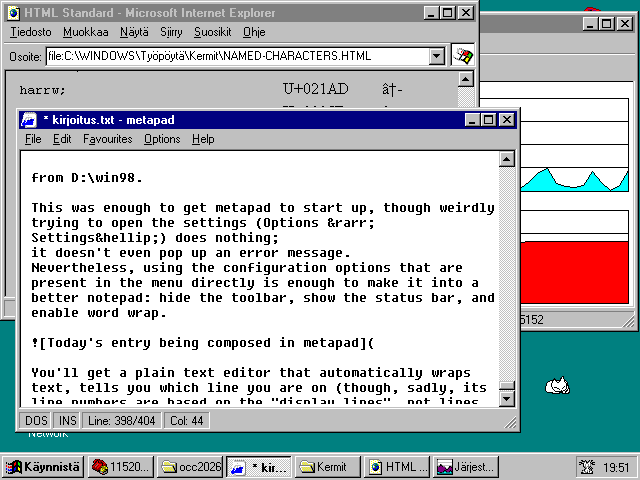
You'll get a plain text editor that automatically wraps text, tells you which line you are on (though, sadly, its line numbers are based on the "display lines", not lines as they exist in the file, meaning you gotta turn off word wrap if you want to match up e.g. assembler error messages), and has basic automatic indentation (though like Notepad++, it will happily create lines that consist of nothing but whitespace, unless you manually remove the indentation from empty lines).
I also thought to try Notepad 2, but I could not find the download for the last version that supported Win9x anywhere.
I also got Irfanview set up. Its installer required a new DLL, MFC42.DLL, which again I could get from the Windows 98 install disk; it honestly feels like Windows 95, or at least this version of it, is not really supported by most software that says it supports "Windows 9x".
I also had to select "only for this user" for IrfanView's start menu entries to show up. I wonder where it tried to put the entries when I initially selected to install them system-wide.
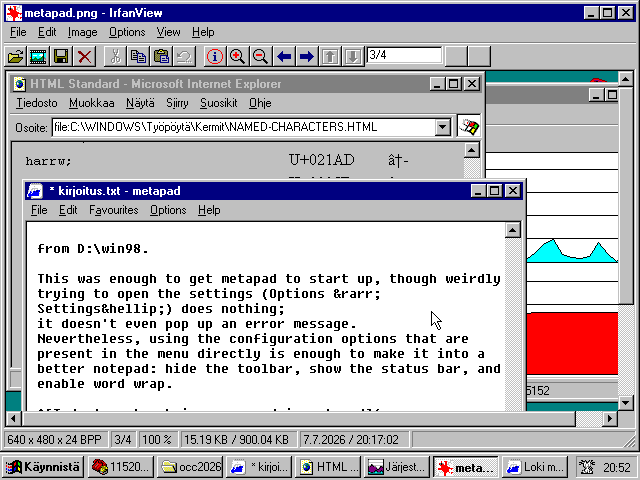
IrfanView does work very well to compress screenshots, and it doesn't actually even take that long to encode as PNG – only a couple of seconds. It can also take screenshots itself, meaning I don't even need to go through a BMP file.
In the evening I chatted with my partner over Mumble using heinä. I did for a moment entertain the possibility of trying some kind of VoIP setup from gradukone, as it does have a sound chip with a line-in and the 115200 bps serial link would be more than fast enough to send over e.g. μ-law audio. I would need to in the very least get working sound drivers for the system first, though.
I finally got some work done on Täytyypä mennä nopeasti, my Retro Game Jam 2025 entry.
I'd spent a good part of the duration of the jam battling with crash bugs (which would take the whole computer with them, forcing a power cycle). Many of the bits that make it an actual game[citation needed] were added at the literal last minute (like, I'm pretty sure five minutes before the deadline, the game had no win state).
Majority of the game was in one massive file, main.asm, with only some low-level bits like line drawing or timer handling in their own files. Today coming back to the codebase, I found it quite unwieldy, and so my first order of business was to split parts off until the files were reasonable length. I ended up bringing main.asm down from 674 lines to 212 lines, splitting out music, level data, and player handling.
Much of the day was spent with drivers. Weirdly enough the Windows 95 version of device manager does not give you the PCI IDs so that you could verify what hardware, exactly, are you trying to find a driver for. Fortunately I was able to get the information I needed for video and network card by booting Damn Small Linux.
0:02.0 VGA compatible controller [0300]: S3 Inc. 86c764/765 [Trio32/64/64V+] [5333:8811] (rev 40) (prog-if 00 [VGA controller])
00:05.0 Ethernet controller [0200]: 3Com Corporation 3c900B-Combo Etherlink XL [Cyclone] [10b7:9005] (rev 04)
With the build-in "SVGA" driver Windows was using for the video chip, I was only getting 640×480 at 16 colours; rather cramped and not very pretty if you were looking at any pictures. With the S3 Trio64V+ driver from VogonsDrivers, I was able to bump that up to 800×600 at 16-bit "High Color". Technically it would've done 1024×768, but only at 256 colours, and it didn't look great on my natively-1280×1024 panel.
The sound chip was not listed in the output of lspci, and after looking through the device manager's by-connectivity view (see below for an image of what I mean, though that one is from after I got everything drivered up), I could see the remaining unknown device was directly under "Plug and Play -BIOS" (TN: "Plug and Play -BIOS" is Finnish for "Plug and Play BIOS"), not the PCI bus. So, it's an ISA device.
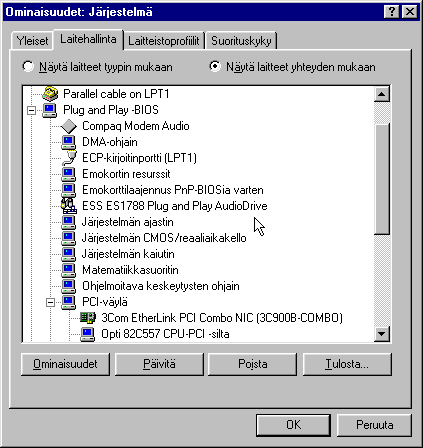
At this point I decided it's just gonna be easiest to pop open the computer and have a look if I can find the integrated sound chip on the board. Fortunately it turned out to be quite prominent, and not covered up by the modem either: it was an ESS1788F AudioDrive. (Also while there, I verified that system bus has been jumpered to 50MHz and we're running at 1.5× multiplier, so 75 MHz is correct.) VogonsDrivers did not seem to have a driver for that specific one, only 1688, but I was able to find a driver package elsewhere.
I now had a system with multimedia-ready graphics and sound.
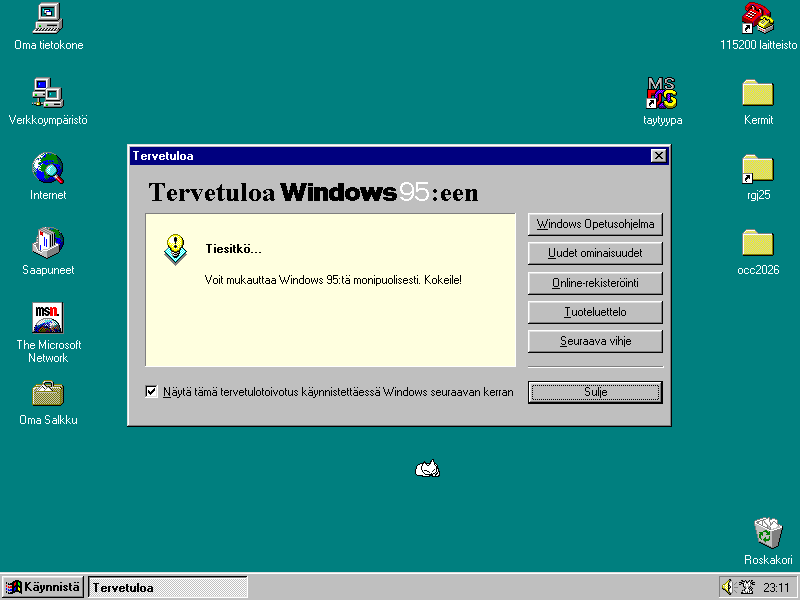
While VogonsDrivers had the drivers for the 3Com EtherLink NIC and they were a pretty painless install (though I did need to insert my installation CD into the drive for Windows 95 to copy over some new networking tooling; funky), actually getting the machine to talk over Ethernet was bit of a longer journey. I'll write more about it tomorrow, since it's getting late, but I did eventually get it onto its own private local-area network:
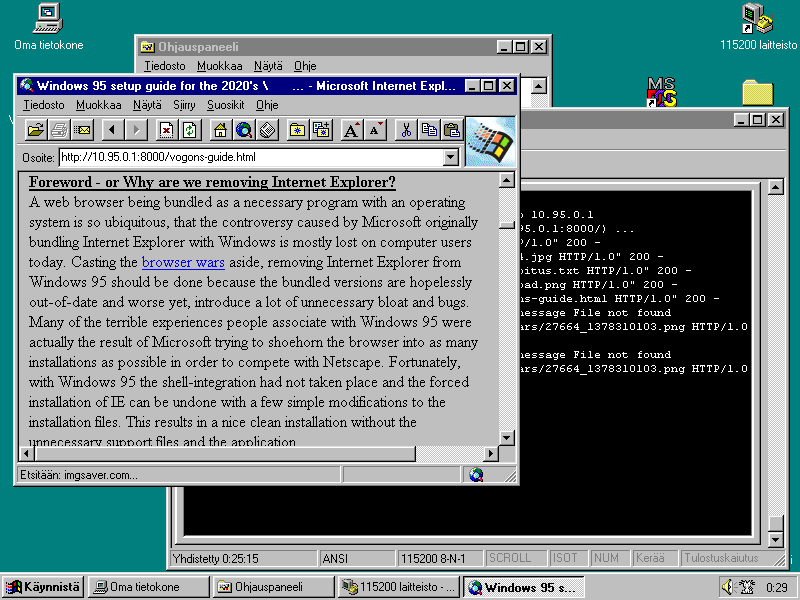
So, the network. I am connecting with a simple twisted-pair patch cable between gradukone on one hand and a Surface Dock that's connected to heinä over the proprietary Surface connector. As far as I understand, that connector is basically just USB. Auto MDI-X does not seem to be working, so I need to run
ethtool enp0s20f0u3u2c2 -s mdix on
to get the devices to talk using the matching pairs.
I configured them to have static IP(v4, no support for the modern protocol version here sadly) addresses, with heinä being 10.95.0.1 and gradukone being 10.95.0.2.
After rebooting gradukone (which is seemingly required after any changes to networking settings on Windows 95, no matter how minor), I was able to run ping 10.95.0.2 from heinä and receive the responses.
I left that running on HyperTerminal and switched over to the DOS command promp;
ping 10.95.0.1 from gradukone was also getting responses.
I terminated the pings and set up a simple netcat to listen to on port 23, and ran telnet.exe to connect over to it. It hung. I spent a good while chasing random rabbit holes: Did dhcpcd finally giving up on that network device cause it to deconfigure my manually configured IP too? No. Is there something wrong with my firewall setup? Also no. Is the physical connection flaky? Nope, not at all. At some point I was waiting for telnet.exe to time out once again when I ran ping from heinä to make sure at least my packets were being received in the other direction. They were, so I killed the ping. Now this time telnet.exe threw an error "Lost connection to host".
After some further poking, it appears that heinä has to be sending traffic to gradukone often enough for graddukone to be able to send traffic to heinä. A simple ping is enough to keep the connection stable, but once I stop it, within a few seconds everything breaks.
My partner suggested it might be a problem with ARP. This made some sense; if gradukone was unaware of what Ethernet address the host 10.95.0.1 has, it'd need to send an ARP query for it. If that went unanswered, that would eventually time out. However, if it received a packet from 10.95.0.1, that would by necessity include both its IP and Ethernet addresses, meaning it could use that to establish a mapping without needing ARP. These IP to Ethernet address mappings also get evicted from cache over time. I have no idea why heinä wouldn't be answering ARP queries, but at least that would be a lead to work off of.
Alas, that was not it either:
If I cut the ping from heinä to gradukone, ping from gradukone to heinä would fail.
Nevertheless, arp -a on gradukone still showed the correct mapping.
I thus continue to be haunted and vex'd by this, and run a ping 10.95.0.2 at all times.
Main benefit to getting network connectivity on here is for file transfer.
Kermit is the fastest and most reliable way to transfer files otherwise, but even with my (comparatively speedy) 115.2 kbps connection it took about 45 minutes to copy over the bundle with the ESS drivers, which clocks in at not quite 7 megabytes.
Moving it over using Internet Explorer and Python's http.server instead took less than ten seconds.
So, we're connected over Ethernet, but we're not really "on the Internet" (yes, I know it's a bit gauche to capitalize that nowadays – it makes sense to underscore that it is a proper noun in this context though, I feel) since there's only one other computer we can reach. We could set up heinä as a router so that I could get on the 'net "directly", but
Instead what I'm going to do is use "application level gateways" a.k.a. proxies.
For surfing the Web, it wasn't too hard to repurpose untls_proxy to only listen on the private LAN and not require authentication.
(I also tried to see if I could get Crypto Ancienne working, so that I don't need to rely on untls_proxy to rewrite https:// urls to http:// ones, but the only browser it works with that I could reasonably get on here was Mosaic, and Mosaic had its own... share of problems).
Internet Explorer 2 doesn't really cut it though, though for a reason I didn't foresee:
it doesn't like it when Location: headers don't specify a full absolute URL.
What I ended up going with was Amaya, W3C's web editor/browser from the late 90s / early 2000s. Specifically, I'm using release 4.1, which was the newest one evolt.org Browser Archive had for Windows 95. It can be rather slow on this system, but (probably in large part due to being a W3C project) it is able to render a lot of pages shockingly well.
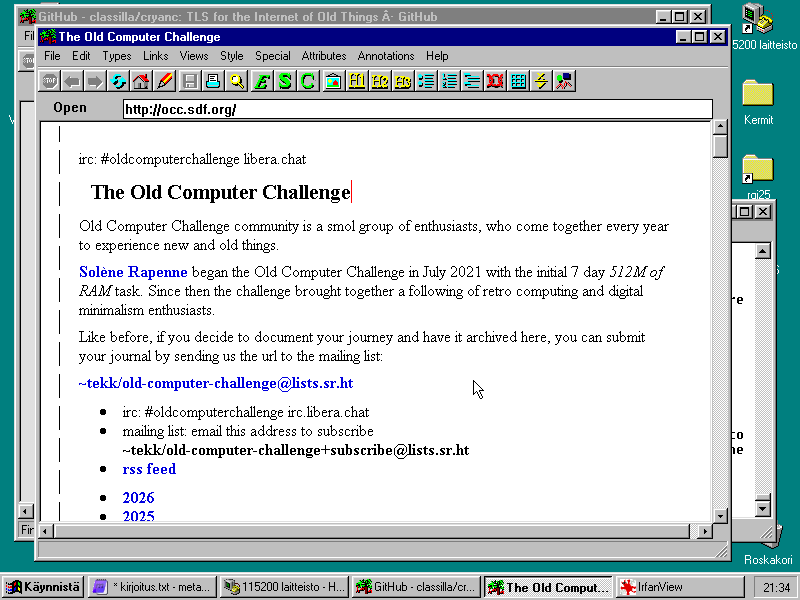
The other big quality-of-life improvement was PuTTY 0.81. It is not up to date, and contains known vulnerabilities, but considering that I am only going to be using this on a single private local area network, I think that's good enough. Main benefit SSH has over telnet here is that I don't need to run telnetd on heinä.
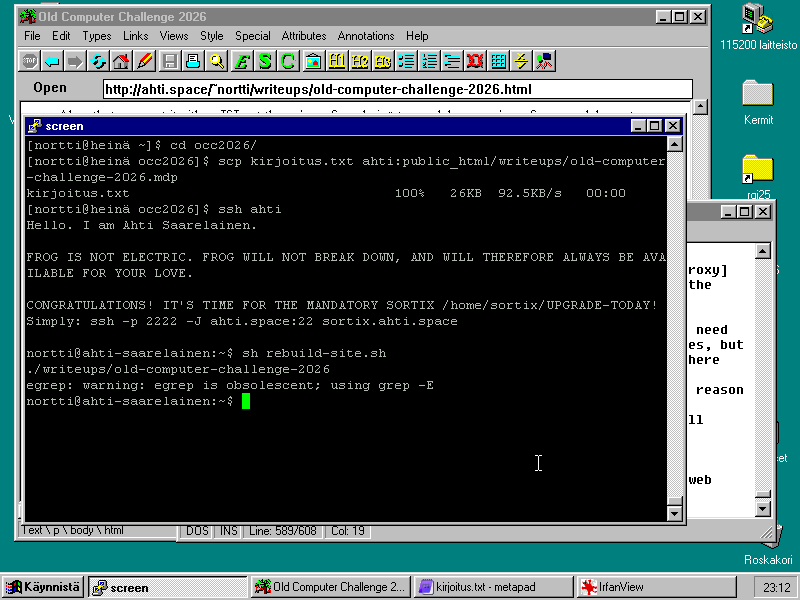
I'd got some mail from another participant, LM, yesterday and today I finally found time to read through and respond to that properly.
Today I mostly worked on my game project. I'd started work on supporting multiple levels during the Retro Game Jam, but I'd run out of time. As a result, only the end-of-level goal object was being placed using the level data, and most of the level was hardcoded into the runtime level state array. This, it turns out, is not very optimal for having multiple of them, so one by one moved the information out of there and into per-level arrays that are used to build the level from individual bits. Multiple levels work now, so I'll "just" need to add a main menu screen and a proper game end screen, and I can focus on level design work.
Since yesterday I have improved my network setup a bit. I created a runit service for it, to handle all the setup and running a ping to keep the connection working:
/etc/sv/gradukone-verkko/run:
#!/bin/sh
exec 2>&1
ip link set enp0s20f0u3u2c2 up || exit 1
if [ -z "$(ip address show to 10.95.0.1)" ]
then
    ip address add 10.95.0.1/24 dev enp0s20f0u3u2c2 || exit 1
fi
ethtool enp0s20f0u3u2c2 -s mdix on || exit 1
exec chpst -b gradukone-verkko ping -q 10.95.0.2 >/dev/null
/etc/sv/gradukone-verkko/finish
#!/bin/sh
exec 2>&1
if [ -n "$(ip address show to 10.95.0.1/24)" ]
then
    ip address delete 10.95.0.1/24 dev enp0s20f0u3u2c2
fi
ip link set enp0s20f0u3u2c2 down
ethtool enp0s20f0u3u2c2 -s mdix auto
/etc/sv/gradukone-verkko/log/run
#!/bin/sh
exec vlogger -t gradukone-verkko -p daemon
I'm extremely happy with PuTTY thus far, but I am finding Amaya a bit more crashy than I'd've liked. I think some of it is due to its memory usage, since the amount of free memory seems to hover somewhere around a megabyte when I have some not-even-that-heavy web pages open in it. It also easily slows down to a crawl if the web page is at all more complex, and since it tries to support CSS and all that, some modern pages will just break in ways that render them unreadable.
LM mentioned that DPlus has Windows support; in my experience Dillo worked nicely on this machine from Linux, so I gave it a try. It shipped with its own version of comctl32.dll, but nevertheless was throwing errors that the comctl32 was missing some expors. It's possible that if I replaced the systemwide version of it, it would work, but I didn't dare test that out right now.
Some other browsers I'd like to test on here are Arena, the W3C testbed browser before Amaya, and Hv3, a lightweight browser based on TkHTML. Neither I could easily find binaries for, and though someone seemed to be maintaining a fork of TkHTML on GitHub (no link, sorry; at some point lite.duckduckgo.com started refusing my connections and none of the other search engines I tried would load and work with Amaya either), I would have had to build it myself.
Maybe I should look into DOS networking. With it, I could at least try out MicroWeb.
Since metapad is acceptable, but not great, for my use cases I'm still on the lookout for a good graphical text editor on Windows. LM had mentioned several text editors in her e-mail to me, so I gave some a test today.
SciTE is based on the same Scintilla editing widget as Notepad++ and Notepad2, which sounded interesting. Unfortunately I was not able to get it running; even older versions (down to 1.76 at least), before they removed Windows 9x support, would fail to start and pop up an error that they needed a newer version of Windows. It's possible you would have had to compile the sources yourself for Windows 9x support.
Another editor that seemed interesting was PFE, programmer's file editor. Last updated 1999, I was hopeful about it running (and well) on here. I did still have to pick the 32-bit x86 version like with a lot of other software; difference being that this time the alternative was 16-bit, not 64-bit.
The editor has an MDI interface. I'm not the biggest fan of those (imo, the classic Mac OS approach was better if you want per-application windows grouping), but fortunately you can just maximize the text file inside the MDI "desktop". Another, bigger, roadblock was that, as far as I can tell, it does not have an option to automatically wrap long lines. (Which is really weird, since it's otherwise extremely featureful. Was automatic wrapping not something programmers used to want out of their text editors?) So for the time being, I'm back to metapad.
Today, I continued my game project. I said yesterday that I'd just need to add title and ending screens next. I, naturally, did neither of those. Instead I ended up writing a level editor in QuickBASIC to make it nicer to create and tweak levels.
While I seem to be unbanned from lite.duckduckgo.com on Amaya again, I got a bit tired of running out of RAM and crashing once again. I remember Opera having been a reasonably spry browser, so I looked for a good version of it on the browser archive. I noticed that they have a Finnish-language version of 6.06 available, and decided to go with that.
Opera 6.06 suprised me positively by having UTF-8 support, which neither Internet Explorer 2 nor Amaya 4.1 had. Per Wikipedia, Opera 6 is where they first got Unicode support, so I guess I lucked out there.
Nowadays a complaint you often see a about browser interfaces is that the UI takes far too much screen real estate. Good thing that browsers in the early-to-mid 2000s didn't have suffer from these kinds of problems:
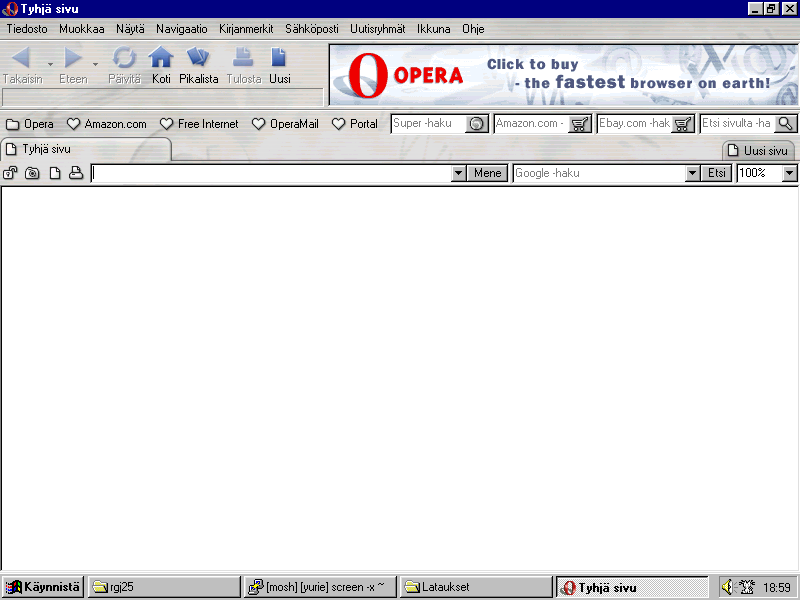
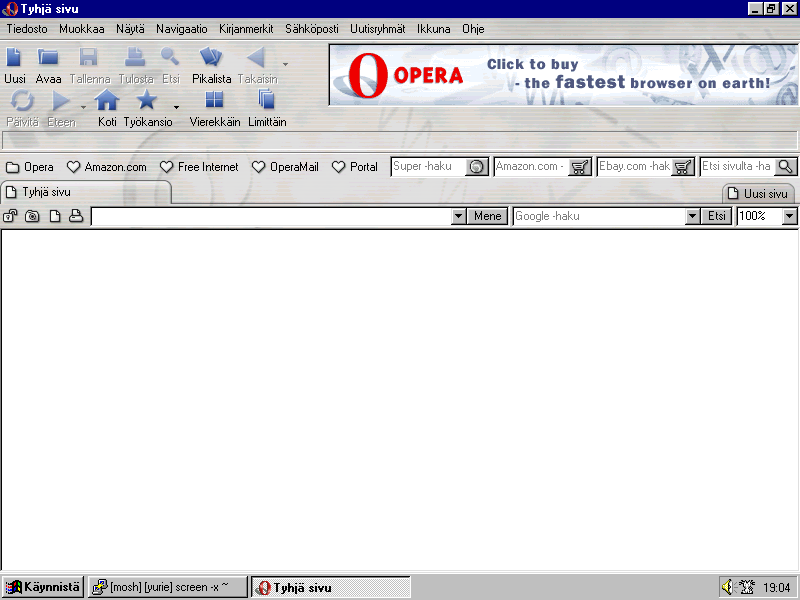
Oh wait, sorry. Apparently that's the "simplified" view. Here's the full one:
Opera does appear to be less memory hungry than Amaya. While with Amaya I'd often hit no free memory left on fairly simple pages, with Opera I still had a couple megs free. However, it could be extremely slow. Here it's been loading the Wikipedia page for Opera's version history for over four minutes:
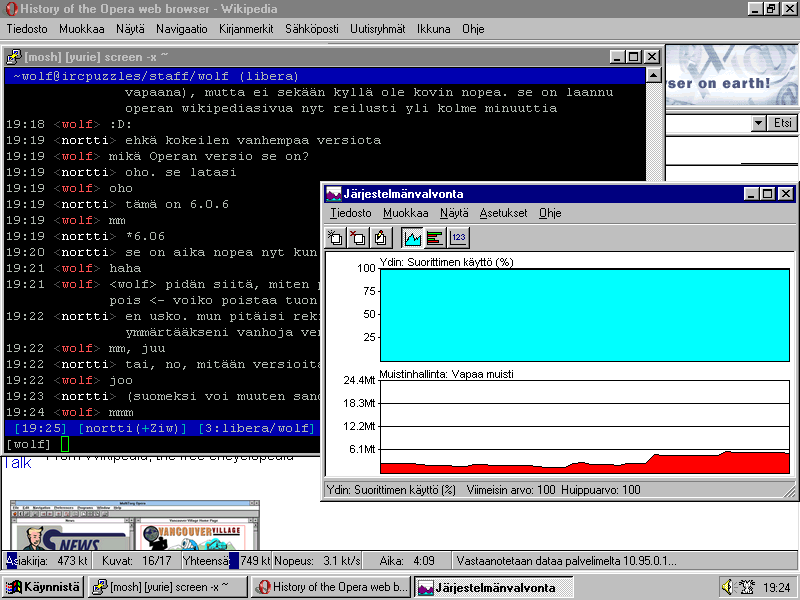
Though once it does finish loading the page, it is pretty quick (e.g. I only got a few frames worth of lag scrolling that page). Opera has also been nicely stable thus far, unlike Amaya.
I also checked out XFDOS, a distribution of desktop software using FLTK for DOS. This was yet another thing that LM had recommended me. I downloaded the XFDOS "hard disk" zip file from SourceForge and moved its contents to the root of my hard disk. My install of Windows 95 seems to not include mouse.com, but fortunately cutemouse was easy to get and set up.
(Fun aside: When Opera identifies itself as Opera, SourceForge throws up a Javascript barrier that blocks my access. If it pretends to be IE 5.0, instead I just get an otherwise-blank page reading "no". Pretending to be "Mozilla 3.0" works, at least.)
My immediate reaction when XFDOS started up was "oh my god, it's nanolinux". And indeed, it appears nanolinux is a port of the same project to run on top of nano-X on Linux instead of DOS.
The frame rate XFDOS got was really bad. Not only could I see applications drawing their contents in, but the mouse cursor too seemed to only be getting less than 30 frames per second. I wonder if they're doing some kind of very basic inefficient method of drawing the screen, since Windows 95 does not suffer from these issues at all.
Also being only a DOS shell, the different apps could not multitask. I'm willing to give some slack to lagginess if that allows me to do something else while one program lags on the background, but here the end product just feels strictly worse than something like DOSSHELL (which I have, in fact, used as my primary computing environment ages ago).
This does make me curious if FreeGEOS could be a good environment on here. I do feel at this point at the challenge, it wouldn't really benefit to upend my mostly-working setup just to test that out.
Only one day left of the challenge, huh.
Last day of the challenge. I worked more on my game project, and while it's still very much WIP, I feel good about what I've accomplished during the challenge. It's got a WIP-but-workable title screen and I have the tooling to create new levels much easier.
It would appear I cannot login to itch.io from here; my guess would be that I'm hitting the Cloudflare browser gate. I guess I'll post the updated build of the game onto its store page tomorrow.
I figured out how to make Opera not be so slow. In hindsight it's pretty obvious: I disabled site stylesheets and JavaScript. There are still some web pages which can bring it to its knees, for example GitHub, but Wikipedia is no longer a problem to browse.
Also, remember how I mentioned on day 5 that I was running an older version of PuTTY? I was checking out the VOGONS thread today again, and happened to notice the PuTTY download link in the thread went to https://the.earth.li/~sgtatham/putty/0.81/w32old/putty.zip, not the normal 32-bit windows download url of https://the.earth.li/~sgtatham/putty/0.81/w32/putty.zip.
The w32old version doesn't appear to be linked from the PuTTY download page for version 0.81. I started wondering: what if I tried https://the.earth.li/~sgtatham/putty/0.84/w32old/putty.zip? Well, the answer is, I get a fully up-to-date PuTTY on Windows 95:
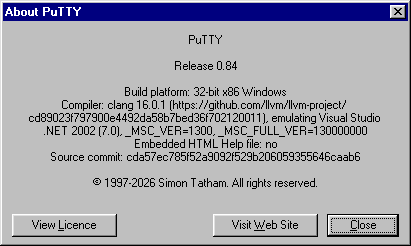
Reflecting back on this challenge, it was harder than I expected but I don't regret the setup I chose (it has been quite a fun week all in all, I would say). I knew from recent experience at the retro game jam that the 75 MHz Pentium predated the era of infinite computing power and even something as simple as assembling a few KiB binary would take several seconds. As such, when IrfanView or PuTTY take more than 10 seconds to convert a PNG or establish an SSH connection, I'm not too surprised. What I did not expect, because I'd mainly stuck to of-the-time and stock Windows software, was how much the 48 MiB of RAM would end up limiting me. 48 MiB! That's a ludicrous amount of RAM for base Windows 95 install: this system came with 8 MiB and in that state was able to run Microsoft Office reasonably, even if somewhat swappily. Heck it's even twice the recommended amount of RAM for Windows 98.
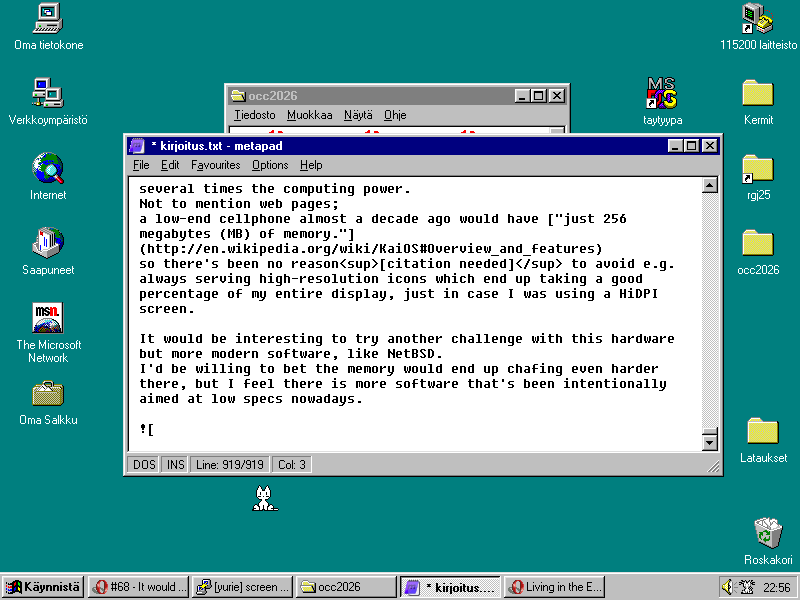
It does make sense though. The 90s were a time of massive growth in computer specs; late 90s especially. While the computer might be from 1996 or so, some of the software I'm running here is more aimed at a computer from 1999 which would have several times the computing power. Not to mention web pages; a low-end cellphone almost a decade ago would have "just 256 megabytes (MB) of memory." so there's been no reason[citation needed] to avoid e.g. always serving high-resolution icons which end up taking a good percentage of my entire display, just in case I was using a HiDPI screen.
It would be interesting to try another challenge with this hardware but more modern software, like NetBSD. I'd be willing to bet the memory would end up chafing even harder there, but I feel there is more software that's been intentionally aimed at low specs nowadays.